CET Admit Card Download 2026: Step-By-Step Guide for NEET PG and INI-CET Hall Tickets
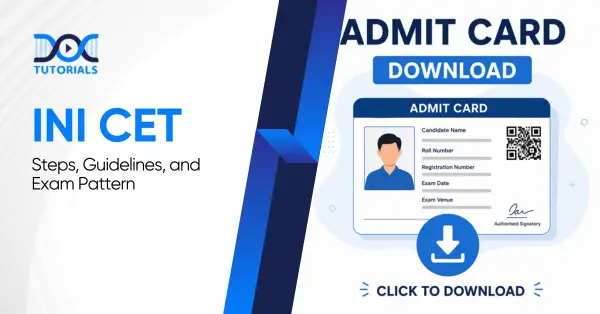
The admit card for the INI-CET exam 2026 July session has been released by the AIIMS (All India Institute of Medical Sciences). Candidates appearing for this entrance examination can download their hall tickets from the official AIIMS website by providing their registration details.
The admit card for the CET exam includes important details regarding the exam date, exam centre, address, reporting time, and the candidate’s information. Applicants should verify the details on the admit card and carry a copy of it to the exam centre.
Keep reading to learn more about the procedure for CET admit card download, details mentioned in the admit card, exam pattern, and more!
What are the Steps for INI-CET Admit Card Download?
Candidates can download the INI-CET admit card from the official AIIMS examination website. You need to log in with your registration ID and password, and enter the CAPTCHA code provided to view your admit card. From this page, you can download and print the CET admit card.
Here is the stepwise procedure for CET admit card download to help candidates get their hall tickets:
Step 1: Log in to the official website of the AIIMS examination
Step 2: Locate the “Academic Courses” section and click on it
Step 3: Click on “INI-CET July 2026”
Step 4: Now select the Login link for the Admit Card
Step 5: Enter your registration ID, password, and the CAPTCHA code and click on the Login option
Step 6: Your admit card for INI-CET will appear on the screen, and you can download the PDF or take a printout
What Details are Mentioned in INI-CET Admit Card?
After downloading the hall ticket, every candidate should check all the details it contains. Usually, the admit card includes the candidate’s name, application number, roll number, exam date, reporting time, address of the exam centre, etc. In case any mistake is detected, the candidate can contact the authorities of AIIMS to rectify it.
Candidates need to verify all the details after the INI-CET admit card download. If the admit card contains any incorrect information, the candidate can contact the AIIMS authorities to make the correction. Here are the details that a CET admit card usually includes:
- Roll number of the candidate
- Name of the candidate
- Application number
- Photograph and signature of the candidate
- Date of examination
- Address of the exam centre
- Reporting time
- Category
- Other important instructions
What is the Exam Pattern for INI-CET 2026?
The INI-CET exam is a computer-based test that includes 200 multiple-choice questions (MCQs). It lasts 3 hours, and the exam is divided into 4 parts. Each part includes 50 questions, and the time allotted for each section is 45 minutes. For each correct answer, the candidate will get 1 mark, and -1/3 mark for each wrong answer. There is no negative marking for unanswered questions.
Take a look at the pattern of the INI-CET exam of July 2026:
| Particulars | Details |
| Mode of Exam | CBT (Computer-Based Test) |
| Duration of Exam | 3 Hours |
| Question Type | MCQs (Multiple Choice Questions) |
| Total Number of Questions | 200 Questions |
| Marks for Each Answer | +1 for Each Correct Answer |
| Negative Marking | -1/3 marks for Wrong Answer |
| Total Sections | 4 |
| Total Number of Questions in Each Section | 50 Questions |
| Time Allotted for Each Part | 45 Minutes |
| Qualifying Marks for UR/EWS/OCI/Sponsored/Foreign Nationals | 50% Marks |
| Qualifying Marks for OBC/SC/ST/PwBD | 45% Marks |
What are the Common Issues Faced by Candidates While Downloading the Admit Card?
Candidates usually try to download the admit card as soon as the link gets activated. This leads to technical issues such as internet connectivity issues due to heavy traffic, incorrect login details, and trouble logging in to the candidate portal. As a lot of candidates try to log in, technical issues arise during the first few hours.
Here are some of the issues that candidates may face while downloading the admit card:
- Heavy traffic is making the website slow
- Forgetting the registration ID or password
- Entering incorrect login details while signing in
- Delay or interruption in loading the admit card page
- Facing trouble while logging into the candidate’s portal
- Interruption in the download procedure due to internet issues
- Facing server issues while opening the dashboard
- Missing details or unclear print while downloading the admit card
What are the Important Instructions Provided in the INI-CET Admit Card for the July Session?
After INI-CET admit card download, you should check the important instructions provided in it. Every candidate should strictly follow the guidelines, carry valid ID proof and a printed copy of the admit card. They should arrive at the examination centre before the reporting time and avoid carrying any items listed in the prohibited items list.
If you are appearing for INI-CET in the July session, make sure you check the guidelines provided on the admit card. Consider preparing documents in advance and following all instructions so you don’t face any issues on examination day.
Here are some of the crucial instructions mentioned in the admit card for INI-CET:
- Keep a valid ID proof and a printed copy of the INI-CET admit card while going to the examination centre.
- Prohibited items like calculators, gadgets, or mobile phones should not be carried while going to the examination centre.
- Make sure you reach the examination centre ahead of the reporting time.
- All candidates should follow each of the guidelines mentioned in the CET admit card.
Note: Issuance of the admit card does not confirm your final eligibility for the exam.
Which Things Should a Candidate Carry and Avoid While Going to the Exam Centre?
Candidates should check the lists of items to carry and not to carry while reaching the exam centre. They should strictly carry a printed copy of the admit card, a passport-size photograph, and ID proof like a passport, PAN card, Aadhaar card, driving license, voter ID, etc. Prohibited items include smart watches, mobile phones, Bluetooth devices, electronic gadgets, etc.
Here is the list of items that a candidate must carry while going to the examination centre:
Valid ID proof, which may include any of the following:
- PAN card
- Aadhaar card
- Driving license
- Passport
- Voter ID
A printed copy of the admit card
Passport-size photograph if necessary
Note: No candidates will be allowed to enter the examination hall without the admit card and valid ID proof.
Here is the list of items that are strictly prohibited in the examination hall:
- Smart watches
- Bluetooth devices
- Mobile phones
- Electronic gadgets
- Notes or any type of paper
What are the Upcoming Dates and Schedules of the INI-CET Exam?
The upcoming exam dates for the INI-CET exam may fall between September 2026 and November 2026. Though the exact dates have not been released yet, as per the tentative dates, the application will start in September, and corrections to the application and dates will be conducted in October. Candidates may be able to download the admit card between October and November, and the exam will take place in November.
The table below represents the upcoming dates of the INI-CET exam schedule:
| Upcoming Events | Dates |
| Application for INI-CET November 2026 | September – October 2026 |
| Application correction dates for INI-CET November 2026 | October 2026 |
| INI-CET November admit card release date | October – November 2026 |
| INI CET 2026 November exam date | November 2026 |
| Answer key release date for INI CET 2026 November | November 2026 |
Note: These are tentative dates; the actual dates are not yet released.
FAQs about INI-CET Admit Card Download
- Where is the INI CET admit card available for download?
Candidates can download their INI CET admit card from the official AIIMS website. They need to click on the “Academic Courses” option and click on the admit download link to receive their hall pass.
- Can I receive the admit card by post?
No, the admit card is only made available online by AIIMS. Candidates must download it from the official website by logging in with their registration ID and password.
- What information is needed to download the admit card?
To download the admit card from the AIIMS examination website, candidates need to enter their login credentials. This includes their registration ID and password.
- What should I do if the admit card has an error?
In case of any inaccurate information on the hall pass, you should report it right away using the AIIMS candidate site or the help section. Incorrect information on the admit card can lead to hassles on the examination day. So, make sure to report them beforehand.
Conclusion
Candidates appearing for the exam must download their INI-CET admit card on time to avoid any issues during the exam. Besides, they should follow the guidelines provided in the admit card strictly and avoid carrying the prohibited items while going to the examination centre to ensure a smooth examination procedure.
If you are appearing for the INI-CET exam, make sure you are well-prepared before heading for the exam. Get the required study materials and professional coaching to succeed on the first attempt. DocTutorials play a crucial role in this regard, providing Quick Revision Programs, video lectures, high-yield study materials and much more that help in your success.
For more information about our course, join our INI-CET online coaching!

Latest Blogs
-
INI CET Exam Pattern 2027: A Complete Guide with Subject-Wise Weightage
INI CET Exam Pattern 2027: A Complete Guide with Subject-Wise Weightage The Institute of National Importance Combined Entrance Test (INI…
-

NEET PG Registration 2027: An Essential Guide For Exam Prep
The NEET PG registration, which is conducted online, is a crucial step in the exam process. Filling out the NEET…
-

NEET PG Exam 2025- Date, Pattern, Marking Scheme, Subject Wise Weightage, and Exam Mode
NEET PG Exam 2025 is the ultimate gateway for medical graduates aspiring to pursue postgraduate courses in medicine, including MD,…